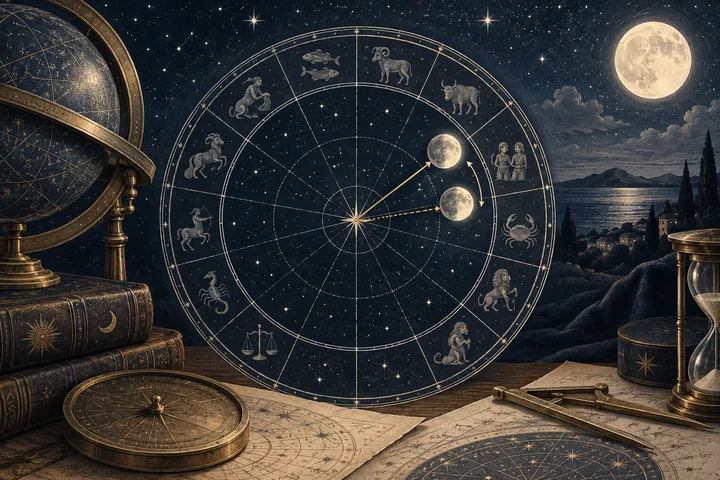
The degree changed because the moment changed
Two Moon degrees after a time-zone correction usually describe two different universal moments. The software didn't move the Moon by hand. It converted the same local clock reading with a different offset, then asked the ephemeris for the Moon's position at the new instant.
Take a simple record: 14:30 local time. With UTC+1, that becomes 13:30 UTC. With UTC+2, it becomes 12:30 UTC. The local number is unchanged. The astronomical input is one hour earlier. Swiss Ephemeris documents this as a sequence of operations: convert local time to UTC, convert UTC to Julian time, then calculate planetary positions. The time zone belongs to the calculation, not just to the label beside the chart.
That is the main answer. Find the changed input before searching for a changed meaning. If both programs use the same UTC moment, investigate the zodiac, ephemeris, observer mode, and rounding instead.
Sources: Astrodienst FAQ: Time Zones; Swiss Ephemeris Programming Documentation
What a chart program needs from a birth record
A birth record gives you a date, a local clock time, and a place. The program must also know how that place kept time on that date. That can mean standard time, daylight-saving time, a historical local rule, or, in older records, a less familiar time convention.
Astrodienst explains that time-zone history differs across places and years, and that updates to its historical database can change charts entered with automatic time-zone data. A saved result can therefore differ from a new result even when nobody changed the birth date. The rule changed. The universal moment changed with it.
Write down five inputs before comparing outputs: the exact local time as recorded, the birthplace, the historical UTC offset, whether daylight saving applied, and the source of the time. A certificate and a family memory don't carry the same precision. Neither does a clock reading rounded to the nearest hour.
Be careful near midnight. Subtracting the offset can move the UTC date to the previous day. A reversed sign can do the opposite and shift the result by several hours. For time zones east of Greenwich, Swiss Ephemeris uses a positive offset and instructs the conversion from local time to UTC to subtract that offset. The small line is worth writing out: local time minus offset equals UTC.
Sources: Astrodienst FAQ: Time Zones; Swiss Ephemeris Programming Documentation
Why an hour can move the Moon by a visible amount
The Moon is quick. A teaching estimate places its average movement near 12 degrees per day, which is about half a degree per hour. That makes a one-hour correction large enough to change minutes, tighten an aspect, or cross a boundary when the Moon is already close to one.
The estimate isn't a promise. NASA's explanation of lunar motion shows why the rate changes: the Moon's orbit is elliptical, and the Sun, Earth, and other factors alter its motion. So a one-hour correction may produce somewhat less or more than half a degree. Let the ephemeris give you the actual longitude when the degree matters.
This is why a Moon degree can change while slower placements seem almost identical. The Sun moves slowly through the zodiac. The Moon covers that daily scale in a short part of a day. A correction that barely changes the rest of a chart may still change the Moon's exact relationship to another planet.
Sources: NASA GSFC: Eclipses and the Moon's Orbit; NASA/JPL Night Sky Network: Why Does the Moon Have Phases?
A worked comparison without inventing a personal chart
Imagine Maria is checking a supplied Moon placement from an old chart file. Her record says 14:30 local time. One program stored the place as UTC+1. After checking the historical rule, a second program uses UTC+2. The UTC moments are 13:30 and 12:30. That one-hour difference explains why the degrees don't match.
For illustration only, suppose the first output shows 22 degrees 10 minutes of Virgo and the corrected output shows about 21 degrees 35 minutes of Virgo. Those are not Maria's calculated chart positions. They simply show the expected direction of an earlier moment. The Moon has moved earlier along its zodiac path in the corrected version.
Now put the first output at 29 degrees 48 minutes of Virgo. A correction in the other direction could carry the Moon past 0 degrees Libra. The sign would change, but the cause would remain the same: the program used another moment. Record local time, offset, UTC, and longitude in four columns. The mystery becomes a traceable comparison.
A chart program can show a different Moon degree after a time-zone correction because it is calculating a different moment. The local clock time stays the same, but the offset changes the UTC time sent to the ephemeris. Change that moment by one hour and the Moon's longitude moves with it. A one-hour correction often means roughly half a degree, though the Moon's speed varies. If the Moon is near 0 or 29 degrees, the sign can change too. Check the recorded local time, birthplace, historical offset, daylight-saving rule, zodiac, and display settings before reading the new result. If you only have supplied placements, compare the corrected Moon sign and degree with the known Venus and Mars placements. A synastry report can rank those contacts, but it cannot reconstruct a natal chart from birth details.
When the Moon changes signs
A sign change after correction is a boundary question. It doesn't mean the program found two unrelated Moons. It means the Moon was close enough to 0 or 29 degrees that the changed moment placed it on the other side of the zodiac boundary.
First settle the time conversion. Then read the corrected sign. Don't use a familiar description to choose between two inputs. The supported chart comes from the recorded local time, the correct historical rule, and the stated calculation settings.
If the birth time itself is uncertain, keep the branches visible. A time window may place the Moon late in one sign at its earliest end and early in the next sign at its latest end. In that case, a conditional reading is stronger than false precision. Say what stays fixed, what changes, and which interpretation belongs to each possibility.
The strongest exception is a genuinely uncertain record. A clear time-zone correction normally selects one result. An unclear birth time or unclear historical offset may leave more than one plausible result.

Sources: Astrodienst FAQ: Time Zones; Swiss Ephemeris Programming Documentation; NASA GSFC: Eclipses and the Moon's Orbit
How to separate a time error from a program difference
Not every disagreement comes from the time zone. Compare the outputs in this order, from the largest likely effect to the smallest: UTC moment, zodiac reference, ephemeris choice, geocentric or topocentric mode, and display rounding.
Tropical and sidereal positions use different reference points. If one program is tropical and the other sidereal, a large sign and degree difference is expected within those settings. Swiss Ephemeris also exposes different ephemeris families and sidereal modes, so matching the program names isn't enough. Match the settings.
Rounding can create a smaller illusion. One report may show 18 degrees 07 minutes. Another may show 18.12 degrees. Those can describe the same longitude in different notation. A whole-degree display can also hide whether the underlying value sits just below or just above an aspect threshold.
A useful size test helps. Several hours usually points to the time conversion. A few minutes with matching UTC points toward rounding or calculation conventions. A difference of roughly a zodiac offset points toward tropical versus sidereal settings. Change one variable at a time and keep the original output.
Sources: Astrodienst FAQ: Time Zones; Swiss Ephemeris Programming Documentation
What the corrected degree changes in astrology
The corrected sign gives the Moon's broad symbolic field. The corrected degree refines that field and changes its geometry with other placements. In a reading, those are different layers, and they should be ranked in that order.
Start with the Moon sign. Then check the unrounded degree against the other supplied placements. A correction may bring the Moon closer to a conjunction, square, trine, opposition, or sextile, or move the contact outside your chosen orb. In this report family, a six-degree orb can be used for selected major synastry aspects when the degrees are actually supplied.
Next, compare the Moon with Venus and Mars. The Moon gives the language of comfort and emotional response. Venus adds affection and preference. Mars adds initiative, desire, and the way energy meets resistance. These are interpretive layers, not a compatibility grade. A corrected Moon degree helps you rank the contacts. It doesn't decide what either person will do.
A close contact deserves more attention than a loose one, especially when another placement repeats the theme. But don't double-count every line created by the same correction. Ask which contact is genuinely new, which became tighter, and which remains unchanged.
How to audit the result in one pass
Keep the audit short. You are trying to identify the changed input, not rebuild the whole chart from memory.
Copy the local date and time exactly as recorded. Add the birthplace and the source of the time. Then write the offset each program used, including daylight-saving status. Convert both entries to UTC and compare those moments before you look at the wheel.
If UTC differs, correct the supported input and recalculate. If UTC matches, align the zodiac, sidereal mode if relevant, ephemeris family, geocentric or topocentric choice, and degree format. Save the old output beside the corrected one so you can see whether the change is in the sign, the minutes, or only the display.
For two people, audit each chart separately. Then write a third note for the synastry method, including the zodiac, the orb, and which degrees are known. This prevents a correction in one chart from being mistaken for a new relationship pattern.
Sources: Astrodienst FAQ: Time Zones; Swiss Ephemeris Programming Documentation
Turn the corrected degree into one better question
Once the supported input is clear, stop comparing screenshots. Use the corrected Moon degree to ask a narrower question about the relationship.
If the Moon stayed in the same sign, ask how the degree changes its closest contact with Venus or Mars. If the Moon changed signs, ask which emotional rhythm needs closer attention while keeping the two chart branches visible. The chart gives you a frame. The people give the answer.
You can enter known Moon, Venus, and Mars placements, add optional degrees, and compare the contacts that the supplied data supports. Don't guess a missing degree, and don't turn a tight aspect into a promise about the future. A cleaner calculation should lead to a clearer conversation.
Ask your partner: 'When you need comfort, what helps you feel met rather than managed?' Then listen for the ordinary answer. The corrected Moon degree has done its job when it makes that question more exact.
A little more clarity
Can a one-hour time-zone correction change my Moon sign?
Yes, but mainly when the Moon is close to the end of one sign or the beginning of the next. A one-hour correction often shifts the Moon by about half a degree, though its rate varies. If the Moon is well inside a sign, the sign will usually stay the same while the degree and aspect distances change. If the birth time or historical offset is uncertain, keep both plausible positions and read the stable themes first.
Sources & further reading
- Astrodienst FAQ: Time Zones
Supports using historical time-zone and daylight-saving rules, including database corrections that can change stored chart results.
- Swiss Ephemeris Programming Documentation
Supports converting local time to UTC, converting UTC to Julian time, and applying the offset sign convention.
- NASA GSFC: Eclipses and the Moon's Orbit
Supports the Moon's changing orbital speed and the gravitational and orbital factors that make its motion non-uniform.
- NASA/JPL Night Sky Network: Why Does the Moon Have Phases?
Supports the practical teaching estimate that the Moon moves roughly 12 degrees along its path each day.
Synastry Comparison Report
Enter known placements for two people. Get an input-by-input comparison, selected aspect calculations and a clear record of what remains uncertain.
Compare our placements